Connecting to a Linux box in AWS via a bastion host is a simple command and *boom* you are in (provided you have the proper key)! But how can we connect to a Windows box (GUI!!) through a bastion host? Port forwarding! In PuTTY, create an SSH session as usual, with the public IP of the bastion host provide the .pem in the Auth section, and then create a Tunnel. The tunnel’s source port should be an unused local port (e.g. 5000) and the IP will be the IP of the destination host (the Windows box you are trying to reach) with the RDP port appended (3389). Be sure to save your config, as you don’t want to have to do this all each time you log into the box!! Connect to the bastion host, and log in. Then, start an RDP session for localhost:5000 (or whichever port you chose) et voila!
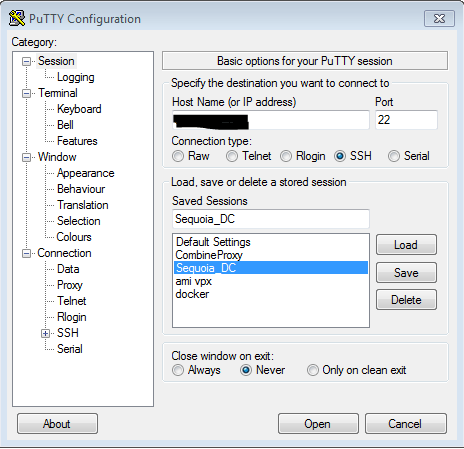
Figure 1. Set Host Name or public IP of the bastion host
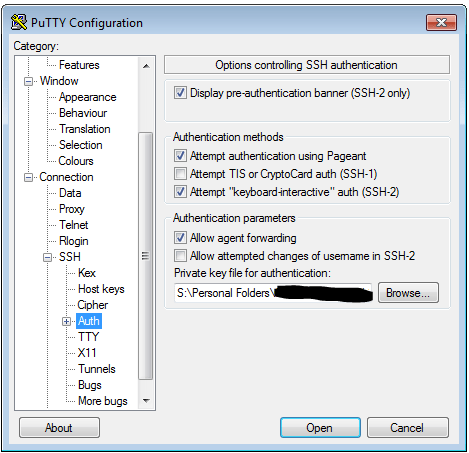
Figure 2. In SSH>Auth, set the private key file in .ppk format
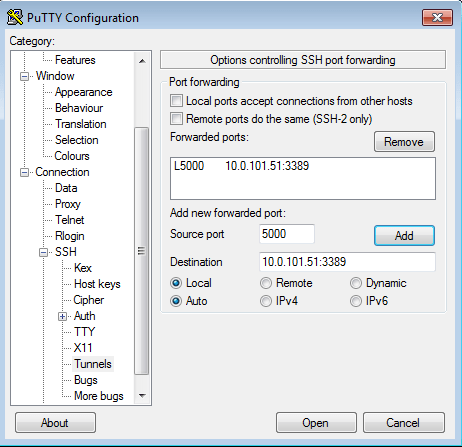
Figure 3. In SSH>Tunnels, add the new forwarded port. The Source Port should be the arbitrary unused port, and the Destination should be the IP of the destination server behind the bastion host, with the RDP port appended.
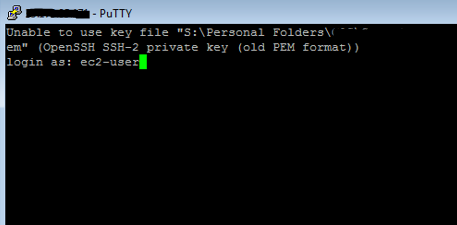
Figure 4. Connect to the bastion host via PuTTY and log in.
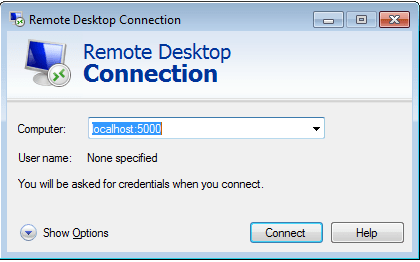
Figure 5. Start an RDP session to localhost:5000 to reach the destination server.

 shilllabs.com
Hello to all, it’s genuinely a nice for me to pay a quick visit
this site, it includes helpful Information.